


Shopify average order value tells you how much an order is worth under a defined calculation. It does not tell you whether that order is profitable or whether customers are buying the right products. A store can increase order value through discounts, subsidised delivery or expensive product mix while making less money overall.
This guide builds an order-value improvement process around margin, useful recommendations and controlled testing. It covers complementary products, bundles and delivery thresholds without assuming every store needs another app. Calculations are hypothetical and exclude tax complexities unless stated; use your own finance-approved definitions before making a commercial decision.

Step 1 Choose a consistent definition
Start with the exact Shopify report you plan to use and read its metric definition. Shopify exposes different analytics surfaces and calculations, so do not assume an overview card and an exported sales report include precisely the same adjustments. Record the report, channel, period and treatment of discounts, returns, shipping and tax.
For an internal worksheet, you might define merchandise AOV as merchandise revenue after discounts divided by eligible orders. Label that as your worksheet definition. Do not call it Shopify’s universal formula. Keep cancelled and test orders handled consistently across the comparison.
Suppose a hypothetical store records AED 12,000 in eligible merchandise revenue from 80 orders. Its worksheet AOV is AED 150. If a later period includes a large corporate order, separate that unusual order before concluding that the everyday customer basket has improved.
Step 2 Measure contribution as a guardrail
Estimate the costs that change with each order: product cost, payment fees, packaging, fulfilment and any delivery subsidy. Use a contribution measure approved by the business. It is a planning aid, not a substitute for formal accounting or tax advice.
A hypothetical AED 150 order with AED 90 product cost and AED 18 variable selling and fulfilment costs contributes AED 42 before other business expenses. If an upsell adds AED 30 revenue but AED 27 in product and handling cost, the extra contribution is only AED 3. A larger basket is not automatically a worthwhile improvement.
Set guardrails before the experiment: contribution per order, conversion rate, returns, delivery cost and customer complaints. A tactic should not be declared successful because AOV rises while fewer suitable customers buy or the fulfilment team cannot deliver the combined offer.
Step 3 Identify products that genuinely belong together
Review order patterns and product knowledge. Distinguish a complementary item from an alternative. A compatible cable may complement a device, while a different model is an alternative. Showing alternatives after a customer has chosen can distract them; showing a necessary compatible accessory can reduce an incomplete purchase.
Check stock, compatibility, warranty implications and whether the customer already owns the extra item. Avoid recommending something simply because it has a high margin. Ask the sales team which combinations customers actually need and which combinations cause returns.
Create a small mapping sheet: main product, useful companion, reason, compatibility condition, stock owner and approved wording. Begin with a few important products and keep recommendations accurate before expanding across the catalogue.
Step 4 Configure complementary recommendations
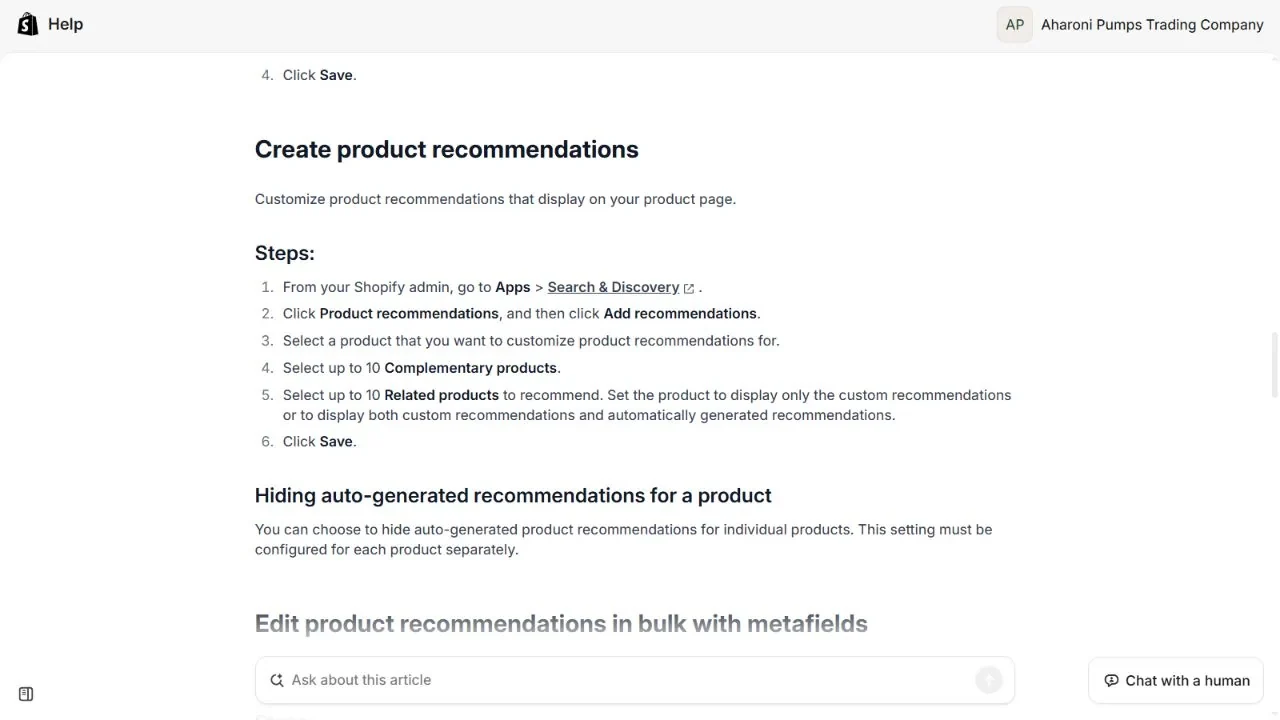
Where the current theme and Shopify setup support it, use the official Search and Discovery recommendation workflow. Select the product, choose appropriate complementary products and save the mapping. Review the relevant product template to confirm it contains the supported recommendation block.
Test the actual storefront. A saved recommendation may not display if the theme lacks the block, the item is unavailable or the product does not meet current eligibility requirements. Do not install several recommendation apps to work around an unexplained configuration problem.
Keep the first presentation modest and useful. Explain why an item fits rather than adding a generic “you may also like” row with unrelated products. Verify mobile controls, variant selection and cart behaviour. Preserve the ability to purchase the main item without the recommendation.
Open full screenshot
Step 5 Build a bundle around a complete task
A bundle should help a customer complete a job or choose a useful set. Examples might include a genuinely compatible starter kit or a set of replenishment items. Identify every component, quantity and selection rule before configuring the product.
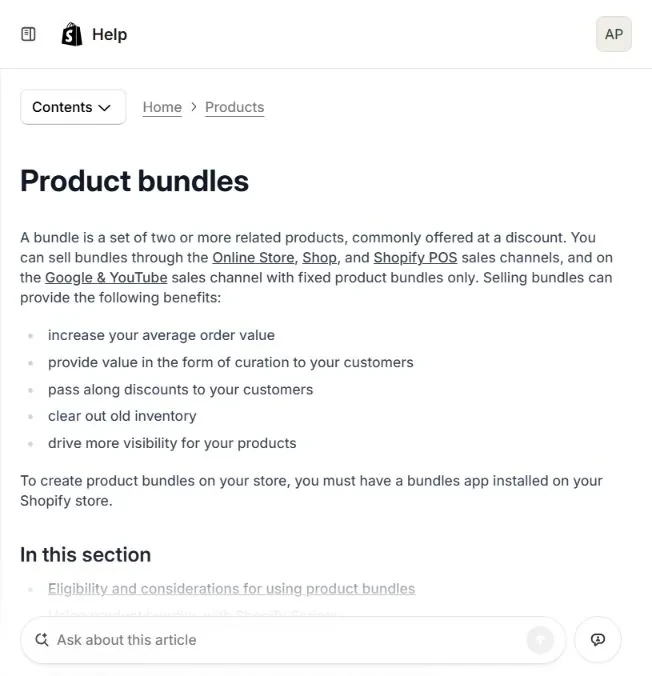
Review Shopify’s current bundle eligibility and supported channels. Product bundles require an appropriate app; the official Shopify Bundles option may be suitable for supported fixed bundles, but not every mixed or subscription requirement is supported. Confirm the actual feature before promising it in the offer.
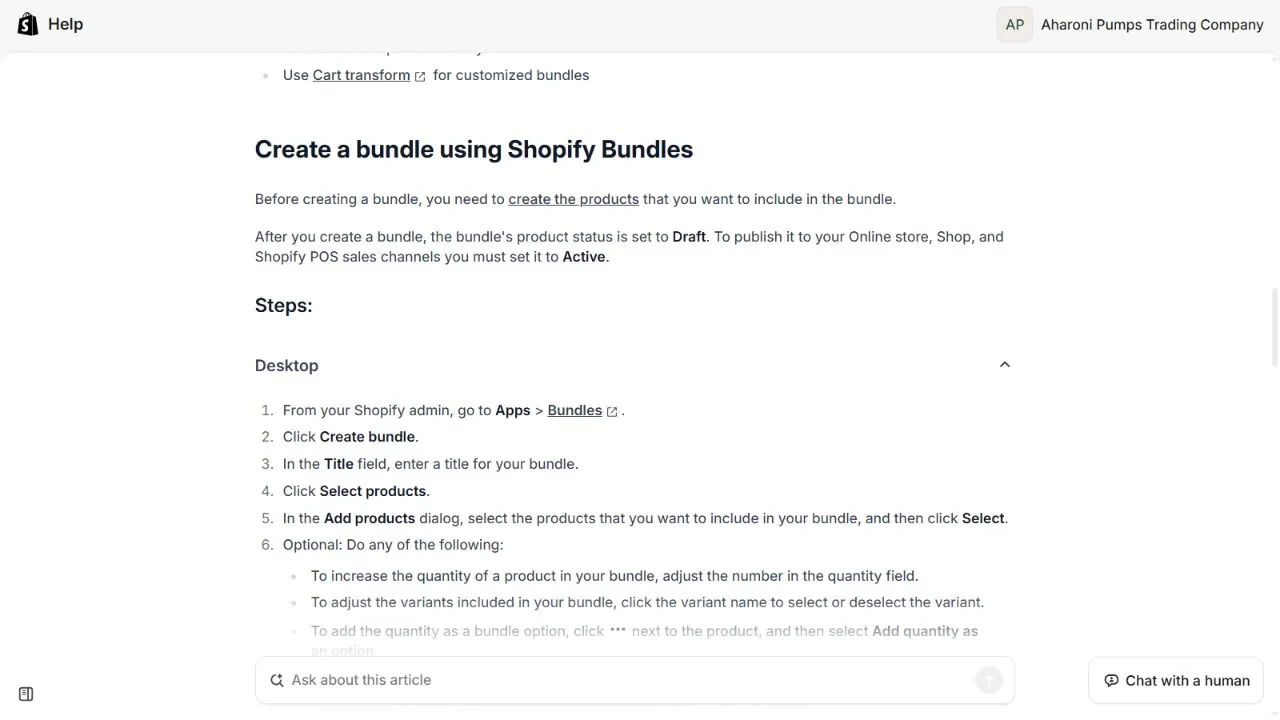
For a supported fixed bundle using Shopify Bundles, create the component products first. Open Apps, then Bundles, and select Create bundle. Enter a descriptive title, choose Select products, add the correct components and confirm them. Adjust quantities and eligible variants, then choose Save and continue. Complete the resulting product details and price. Keep the new product in Draft while reviewing it; select the appropriate sales channels and change it to Active only after approval and testing. Save, open the public product and verify every component and option.
Open full screenshot
Prepare the bundle in a duplicate theme or supported draft workflow where possible. Test what happens when one component runs out of stock, a variant changes, an order is partially returned or a fulfilment app receives the order. A visually attractive bundle can still create an operational problem if component inventory is not represented correctly.
Open full screenshot
Step 6 Price the bundle without hiding the economics
Calculate the component value, bundle price and variable costs. Use a finance-approved margin threshold and consider additional packaging or handling. Do not advertise a saving against an artificial comparison price. If the bundle’s main value is convenience or compatibility, explain that instead of forcing a discount.
For a hypothetical set priced at AED 240 with AED 145 component cost and AED 25 variable order costs, contribution is AED 70 before other expenses. Compare that with the likely standalone order, not with an unrealistic assumption that every customer would otherwise buy every component separately.
Write the offer clearly: what is included, what is optional, which variants are available and how returns work. Ensure the cart and order confirmation represent the bundle accurately. Ask fulfilment staff to confirm they can identify and ship the right components.
Create one operational exception test before launch. Ask what happens if a customer returns only the companion item, if one component arrives damaged or if stock disappears between ordering and fulfilment. Record the approved response and the system used to issue any adjustment. A bundle that increases basket size but leaves support staff unable to explain a partial refund is not ready to scale. Check that the policy shown to customers matches the procedure staff can actually follow.
Step 7 Test a delivery threshold carefully
A free-delivery threshold can encourage a larger basket, but it can also subsidise orders that would have happened anyway. Review your current basket distribution, delivery costs and margins before choosing a threshold. Avoid choosing a number solely because it is slightly above the average.
If a hypothetical customer adds an AED 35 accessory and the store gains AED 12 contribution before a new AED 15 delivery subsidy, the threshold has reduced contribution by AED 3. The revenue increased while the incremental economics worsened. Use actual product and delivery costs rather than a headline uplift.
Configure the relevant shipping rule in the authoritative system and test representative addresses, discounts, currencies and mixed carts. Check how the threshold is calculated after discounts. Make the displayed message agree with checkout so the customer does not discover an unexpected delivery charge after meeting the advertised condition.
Step 8 Understand discount mechanics before promoting them
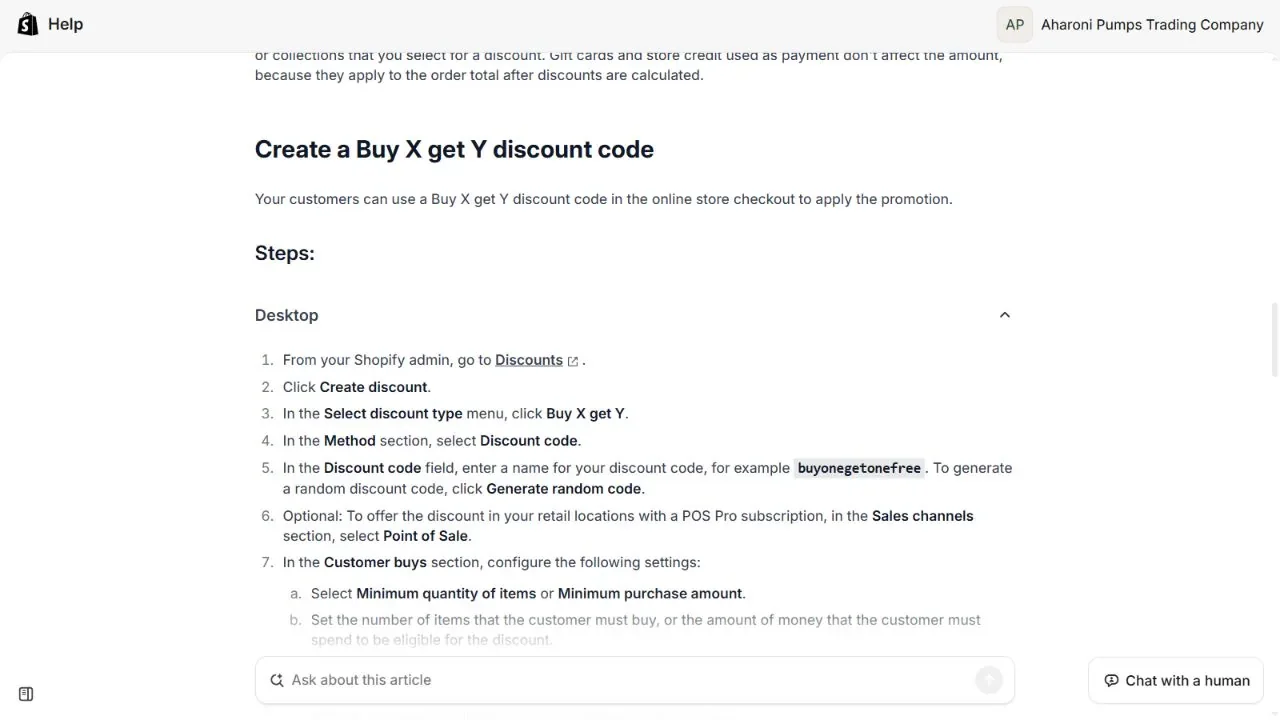
If you use a Buy X Get Y offer, read the current Shopify behaviour and combination settings. Do not assume a free item is automatically placed in the cart. Test whether the customer needs to add the qualifying items and whether the promotion applies to the intended variants and channels.
Check minimum spend, customer eligibility, start and end times and the number of uses. Test the offer alongside existing discounts so an unintended combination does not destroy margin. Keep a record of the previous configuration and the steps for disabling the experiment.
Use plain language in the offer. If the customer needs two eligible items in the basket, say so. Avoid an exciting banner whose eligibility rules only become visible after a failed checkout attempt.
Open full screenshot
Step 9 Place the offer where it helps
A necessary accessory may belong near the product decision. A useful add-on may fit in the cart. A complex bundle may need its own explanatory page. Choose the placement based on the decision rather than assuming more popups create more value.
Keep the main purchase action clear. Do not preselect paid extras or make removing them difficult. On mobile, check that the recommendation does not hide the subtotal, obstruct checkout or cause horizontal scrolling. Test keyboard controls and readable labels where applicable.
If the offer changes checkout or a post-purchase surface, confirm the current platform and plan support before implementation. A storefront theme setting does not imply unrestricted checkout customisation. Use a supported integration and coordinate testing with the business.
Step 10 Compare the right outcomes
Measure the eligible product segment and the same channel over comparable periods. Record AOV, contribution per order, conversion, attachment rate, returns and support issues. Attachment rate is the share of relevant purchases that include the companion item; define the denominator so the team can reproduce the calculation.
Use enough relevant activity to make the comparison useful and document concurrent changes. If prices, ads and stock all change, the outcome cannot be attributed confidently to the bundle alone. For low-traffic stores, treat results as directional and avoid claiming statistical certainty.
Keep an offer only when the customer and business evidence support it. If AOV rises but overall contribution falls, change the economics or remove the offer. If returns increase, investigate compatibility, presentation and expectations before scaling.
A worked review worksheet
Record the main product, proposed addition, customer reason, compatibility evidence, selling price, incremental cost and fulfilment impact. Add the placement, test dates, main metric and guardrails. Assign both a commercial owner and an implementation owner so price decisions do not become accidental developer choices.
Before launch, ask someone unfamiliar with the setup to explain the offer from the public page. If they cannot tell what they receive or how to qualify, clarify the message. Then test the full order and fulfilment path through an authorised process.
Frequently asked questions
Is a higher AOV always better
No. It must be considered with margin, conversion, returns and operating costs. A premium product mix can raise AOV without showing that a particular tactic improved the store.
Do bundles need a discount
Not necessarily. A useful set can offer convenience, compatibility or a complete solution. Price it honestly and explain the value. Avoid inventing a comparison saving.
Can I start without another paid app
Check the native and official capabilities already available in the store. The right choice depends on bundle type, theme and channel requirements. Do not buy an app before defining the offer and verification plan.
Your next action
Choose one product pair and calculate the incremental contribution before designing a promotion. If it needs custom theme or integration work, scope it through Shopify theme development with a clear compatibility and fulfilment test plan.
Sources and verification
Checked 30 October 2026: Shopify sales report definitions, product bundles, product recommendations, Buy X Get Y rules. Calculations and worksheets are original hypothetical examples, not observed merchant results.