


To increase Shopify sales, buying more traffic can feel like the fastest response. It can also make an existing problem more expensive. Before increasing advertising spend, find out whether the store needs more suitable visitors, a better path to purchase, a more useful offer or a stronger reason for existing customers to return.
This guide gives you an experiment-based process for improving sales from the resources you already have. The aim is profitable orders, not a higher dashboard number created by deeper discounts. You will build a baseline, choose one problem, run a controlled change and decide whether to keep it. The examples are hypothetical calculations rather than results from a client store.

Start with the sales equation
For planning purposes, think of revenue as purchasing sessions multiplied by the average value generated by those sessions. A simpler business worksheet often uses orders multiplied by average order value. Neither should be mixed casually with a conversion rate from a different channel, reporting period or definition.
Suppose a hypothetical store receives 2,000 online sessions, 30 of those sessions complete a purchase and the average order is AED 200. That is a session conversion rate of 1.5 percent and approximately AED 6,000 from 30 orders, assuming one order per purchasing session. The calculation does not predict what your store should achieve. It shows why traffic, purchase completion and order value need separate attention.
Do not choose an industry conversion benchmark before checking your own data. A returning customer buying a familiar item behaves differently from a first-time visitor comparing expensive equipment. Compare similar products, visitor types, devices and periods wherever possible.
Step 1 Build a baseline you can trust
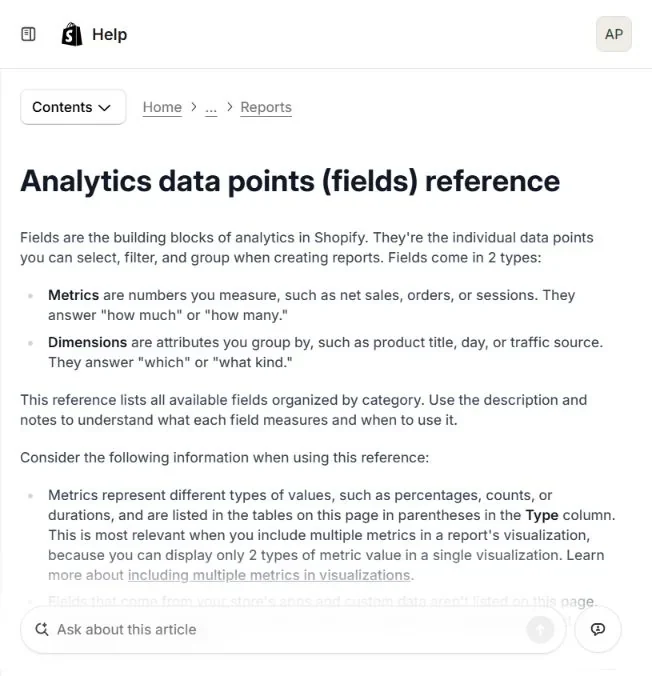
In Shopify Analytics, select a period long enough to include normal trading activity. Save the dates, the store time zone and the report names. Record online-store sessions, sessions that added to cart, sessions that reached checkout, sessions that completed checkout, orders, sales, discounts, returns and average order value. Use the definitions shown in your store’s current reports.
Separate the Online Store from POS, marketplace and manually created orders. Exclude test orders from your business worksheet, and note promotions or outages that could distort the comparison. Keep Shopify as your order reference rather than expecting a separate analytics platform to match every number exactly.
Open full screenshot
Create a baseline row for mobile and another for desktop. Then split the most important traffic sources and landing pages. You are looking for a concentrated problem, such as mobile visitors from a particular campaign failing to progress beyond one collection. A store-wide average can hide that problem.
Step 2 Identify where the journey loses momentum
Read the funnel in sequence. If relevant visitors arrive but rarely add an item, investigate the match between their expectation and the offer. If additions are healthy but checkout starts are weak, inspect the cart, delivery information and distractions. If checkout starts are healthy but completions fall, investigate payment, shipping or eligibility errors before changing marketing copy.
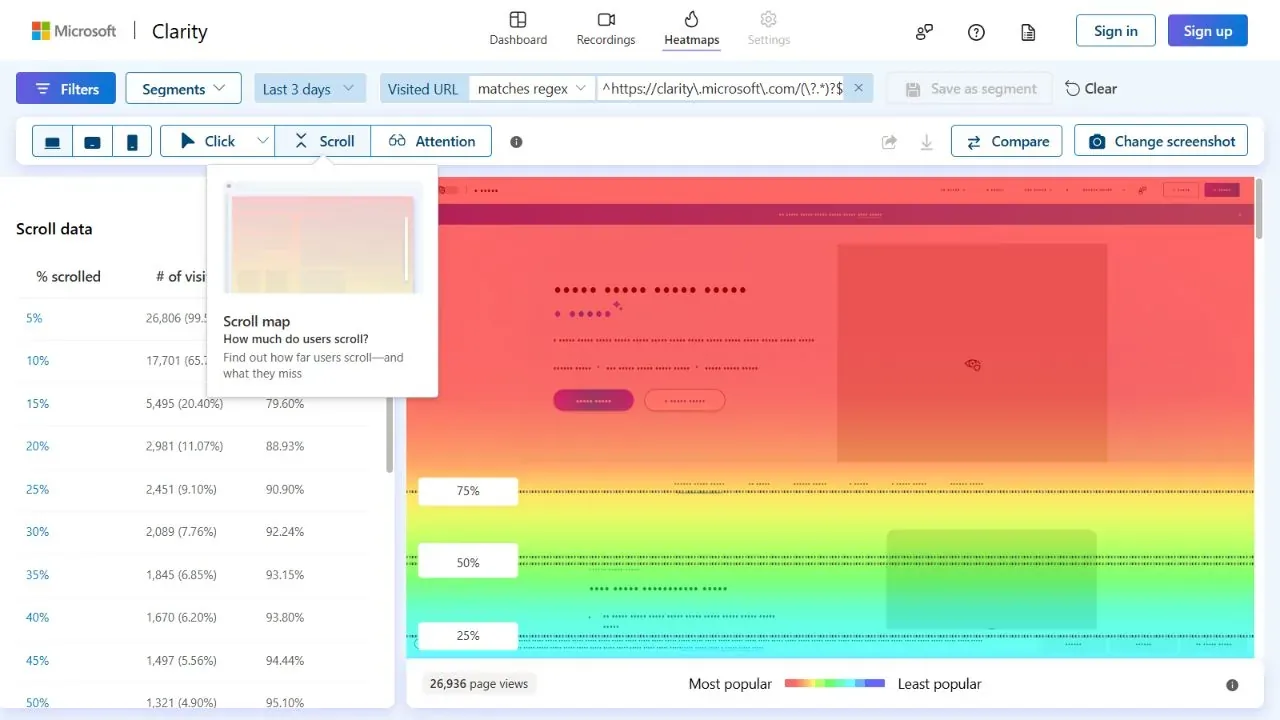
This is a diagnosis framework, not proof of causation. A visitor can leave because the product is unsuitable, the timing is wrong or they are comparing options. Combine the report with actual customer questions, a working checkout test and carefully reviewed behaviour evidence.
Write the finding in a specific sentence: “Mobile visitors landing on collection A rarely reach a product,” or “Customers who reach shipping are unable to select delivery to a supported address.” Avoid “the website does not convert” because it does not identify an action.
Open full screenshot
Step 3 Choose one experiment with a business reason
Use a worksheet with the following fields: observed problem, evidence, proposed change, expected mechanism, main metric, guardrail metric, start date, end or review condition and rollback. The expected mechanism explains why the change might work. It should be a testable statement rather than a promise.
For example: “Visitors searching for refill packs land on a general category. Linking the relevant campaign to the refill collection may help them reach an eligible product sooner.” The main metric could be purchasing sessions from that campaign. A guardrail could be average margin per order. This is more useful than installing a popup and hoping sales increase.
Prioritise changes by likely customer impact, evidence and implementation effort. Fix a broken essential step before testing a cosmetic preference. Keep a theme copy or documented setting backup when an experiment changes the storefront. Never change live checkout behaviour casually during a busy sales period.
Step 4 Improve the match between visitor and destination
Open your most important campaign links and organic landing pages as a first-time customer. Read the message that brought the visitor in, then look at the destination. If the message promises an item, size or delivery option that the page does not offer, the mismatch creates wasted traffic.
Change the destination to the closest useful page rather than rewriting the whole homepage. A campaign for a specific product family normally needs the appropriate collection or product page. Use a clear path back to alternatives when that item is unsuitable. Do not leave a campaign pointing to an expired offer or an unavailable product without an explanation.
Record the old and new destination and use consistent campaign parameters. Check that the landing URL loads correctly on a phone, preserves the selected variant where appropriate and does not redirect to a different market. Measure the changed traffic segment rather than the entire store.
Step 5 Turn real customer questions into purchase support
Review recent pre-sale messages and support conversations. Remove personal details and group recurring questions: compatibility, sizing, delivery timing, installation, warranty or what is included. Pick one question that regularly prevents a decision and answer it at the point where customers need it.
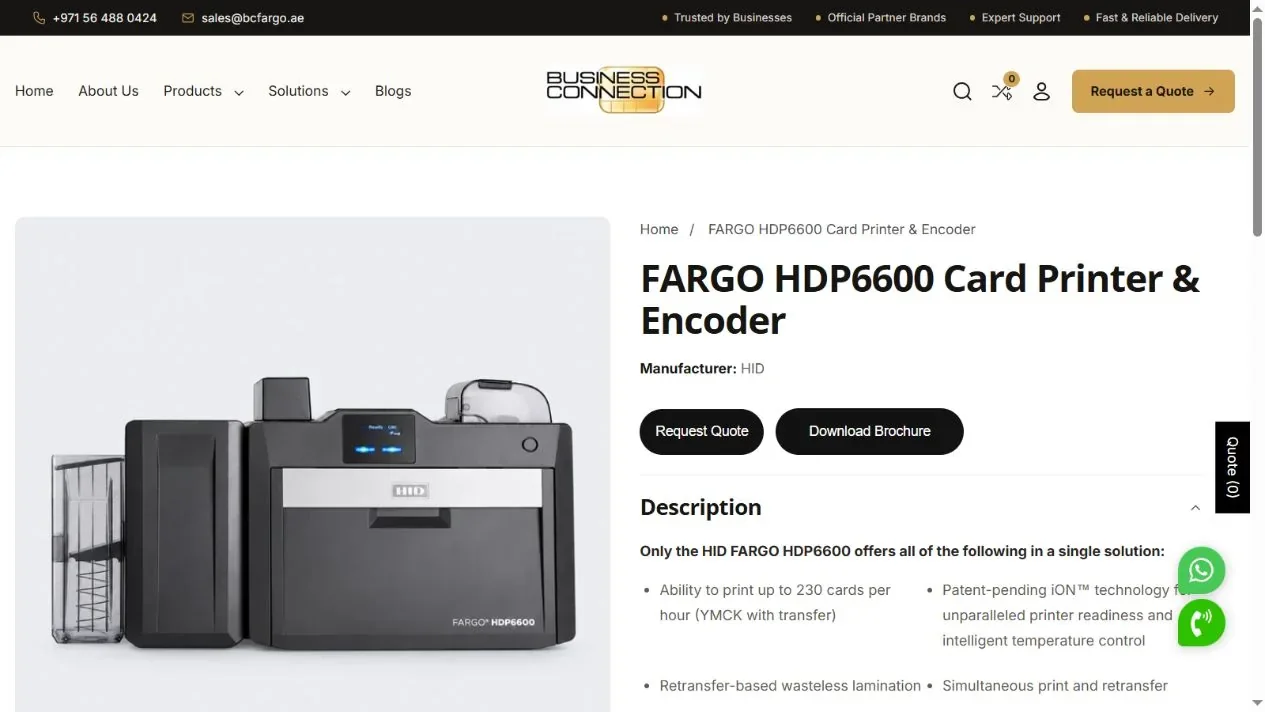
For a technical product, a compatibility table may be more useful than a longer sales paragraph. For an item with variants, an example showing how to select the correct option may prevent an incorrect order. For an expensive item, a quotation route may be more appropriate than pretending every purchase is self-service.
Use only information the business can stand behind. Do not invent delivery promises, certifications, review counts or stock scarcity. The separate product-page guide explains the broader page structure; this experiment focuses on one documented objection and its effect on the relevant segment.
Open full screenshot
Step 6 Recover unfinished purchases thoughtfully
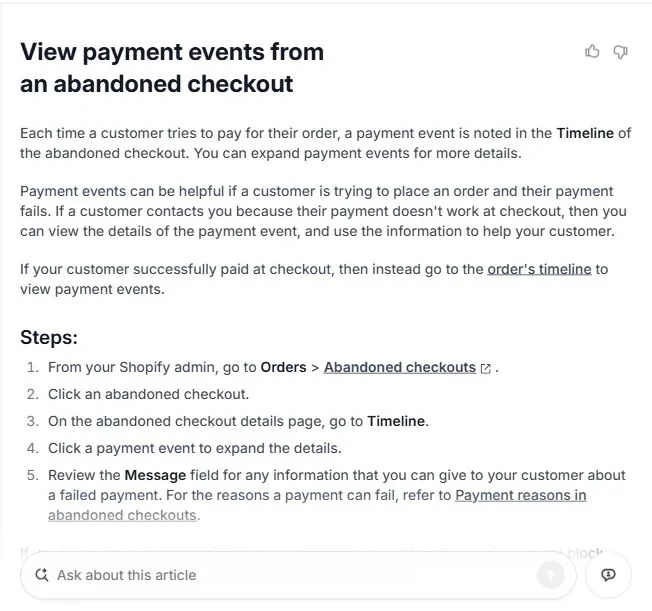
An abandoned checkout is evidence that a customer began a purchase, not permission to contact every person by every channel. Review Shopify’s current recovery options, the store’s consent settings and the applicable messaging rules. Confirm which channel and checkout types are eligible before enabling an automation.
Begin with a useful reminder that returns the customer to the correct checkout or product. Check whether the item is still available and whether a price or shipping change explains the abandonment. Do not lead with a discount if the actual obstacle is an unavailable delivery option.
Test the recovery journey using an authorised test customer and Shopify’s supported test process. Check the sender, destination, item details and unsubscribe or preference behaviour where applicable. Record recovered orders separately and remember that an attributed recovery does not prove every order was caused by the reminder.
Open full screenshot
Step 7 Make repeat buying easier
Look for products customers genuinely replenish or buy alongside a previous order. Create a clear reorder route, accurate account information and useful post-purchase guidance. A customer should not have to rediscover a compatible refill or repeat the same pre-sale question each time.
Segment communications by relevance and permission. An accessory suggestion should fit the original item. A replenishment reminder should reflect realistic usage rather than a random daily message. Avoid sending promotional campaigns to customers who have unresolved delivery or refund issues.
Track the share of returning customers, repeat orders and contribution after promotional costs. A repeat purchase supported by a large discount can be less valuable than it first appears. Keep customer-service capacity in the plan so a successful campaign does not create late responses and missed orders.
Step 8 Run the test without misleading yourself
Where your tools support a properly configured split test, define the test population and the decision rule before starting. For a smaller store without enough traffic, a sequential comparison can still inform a decision, but it is weaker evidence because demand, promotions and visitor mix change over time.
Do not stop a test after the first good day. Review whether the period includes normal weekday and weekend behaviour, whether enough relevant visitors saw the change and whether the main metric improved without damaging guardrails. Avoid presenting a small sample as a proven uplift.
Keep a change log. If stock, price, campaign targeting and the theme all change during the same experiment, note that you cannot isolate the cause. A useful conclusion can be “inconclusive; retain the safer version and collect more evidence.” That is better than confidently scaling a misleading result.
A worked experiment worksheet
| Field | Hypothetical entry |
|---|---|
| Problem | Customers repeatedly ask which accessory fits the main item. |
| Evidence | Support messages and observed product-page exits. |
| Change | Add a verified compatibility selector and one matching recommendation. |
| Main measure | Purchases from eligible product sessions. |
| Guardrails | Wrong-item returns, margin per order and mobile usability. |
| Keep condition | Useful improvement across an adequate observation period without guardrail damage. |
| Rollback | Restore the saved theme section and previous recommendation settings. |
Use the worksheet to brief your developer or marketing team. Attach the exact page, device, reproduction steps and approved product information. A brief that says “increase conversions” leaves too many decisions undefined and makes the outcome hard to evaluate.
Diagnose disappointing results
If sales do not improve, check whether the change reached enough relevant people. A good fix on a page with little suitable traffic may have little effect on total revenue. If engagement improves but purchases do not, inspect the next step in the journey. If orders increase but profit falls, review discounting, shipping subsidies and product mix.
If a test causes problems, roll it back and verify the original journey. Preserve the evidence so the same idea is not reintroduced later without addressing the cause. A failed experiment can still be useful when it identifies a constraint, such as stock availability or an unsupported delivery region.
Frequently asked questions
What should I change first
Start with the most specific, well-supported obstacle affecting an important customer journey. A broken payment step takes priority over an optional sales widget. If the store works correctly but attracts unsuitable visitors, improve targeting and destination relevance before adding more persuasion.
Should I install more sales apps
Only when a defined capability is missing and the app is compatible with the theme, tracking and checkout. Test loading, accessibility and mobile behaviour. An app is an implementation option, not an experiment hypothesis.
Can I improve sales without discounts
Potentially, through clearer compatibility, more relevant destinations, easier repeat purchasing and fewer avoidable errors. None guarantees a result. Compare qualified purchases and contribution, then decide from your own evidence.
Your next action
Export the baseline, choose one customer obstacle and write a single experiment brief. If implementation needs theme or integration work, use Shopify store optimisation to scope the work around that journey. Keep the existing version recoverable and agree how success will be checked before development begins.
Sources and verification
Checked 30 October 2026: Shopify Analytics dashboard, analytics field definitions, customer and session discrepancies, abandoned checkouts. Store examples and experiment worksheets are original illustrative material. The guide does not claim a measured sales uplift.